
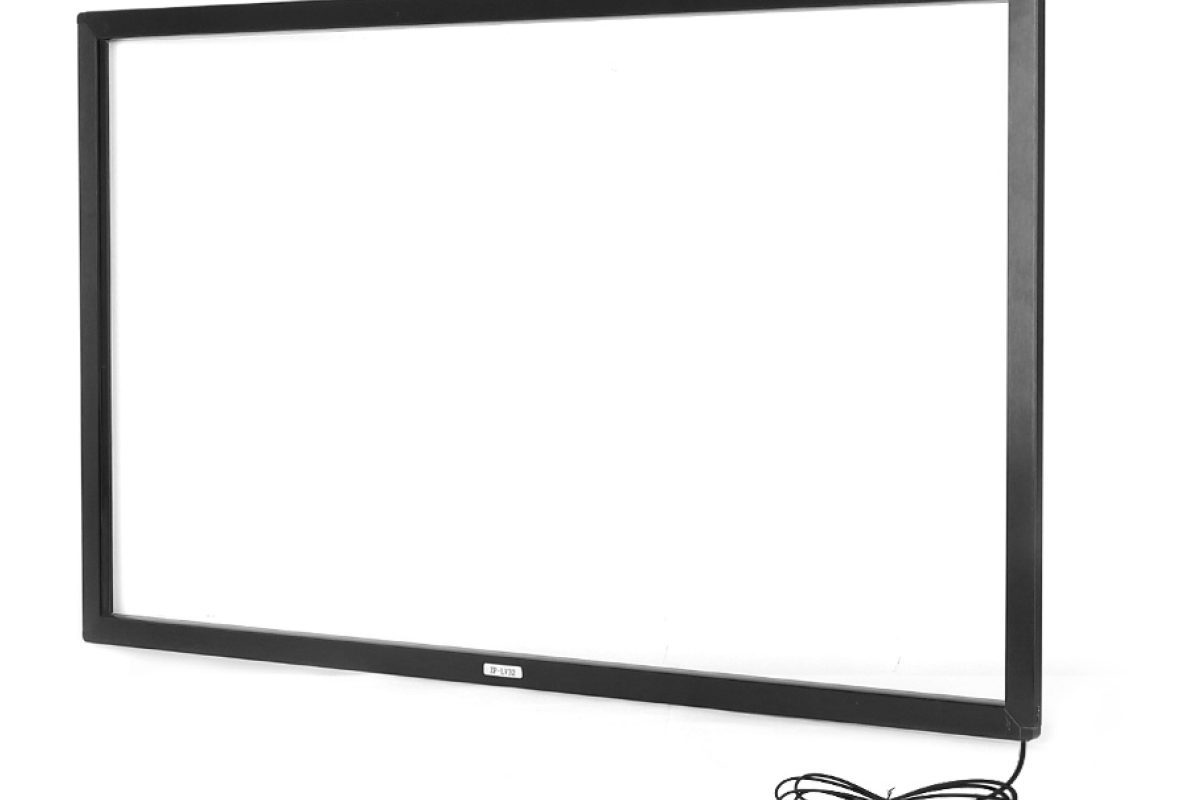
Infrared vs capacitive touch: the short answer
Choose projected capacitive touch for 7-inch to 32-inch devices that need a sealed front, multi-touch, glove support and a thin bezel. Choose infrared touch for 32-inch to 110-inch displays, interactive whiteboards and retrofit overlays where cost per inch and large-format scalability matter more than bezel thickness.
That is the one-paragraph answer. The rest of this article explains why, and where the decision gets more complicated.
How the two technologies work
Projected capacitive touch (PCAP)
A PCAP sensor is a transparent grid of conductive traces laminated behind or bonded to the cover glass. A finger changes the capacitance at the intersection point, and the controller calculates the position. Because there are no moving parts and no air gap in an optically bonded stack, PCAP can be sealed to IP65 or IP67 and can support multi-touch, palm rejection and pen input.
Infrared touch (IR)
An IR touch frame places infrared LEDs and photodetectors around the perimeter of the display. A finger or pen interrupts the light beams, and the controller calculates the position. Because the frame sits around the display rather than on top of it, IR scales economically to very large sizes and can be retrofitted to an existing monitor or TV.
Side-by-side comparison
| Factor | Projected capacitive | Infrared |
|---|---|---|
| Typical sizes | 7″–32″ (up to 86″ at higher cost) | 32″–110″ |
| Multi-touch | 10–40 points | 10–40 points |
| Bezel | Thin, flush | Deeper frame around the display |
| Sealing | IP65/IP67 possible | Frame-dependent; waterproof versions exist |
| Glove / wet finger | Possible with tuned controller | Works with gloves and any stylus |
| Optical performance | Excellent with optical bonding | Slight loss at the frame; no cover glass |
| Cost per inch | Higher above 43″ | Lower above 43″ |
| Retrofit | Difficult | Easy — add a frame to an existing display |
| Best fit | Panel PCs, kiosks, medical, retail | Whiteboards, large signage, DIY overlays |
Where capacitive wins
- Sealed industrial devices. A flat, bonded front is easier to clean and resistant to coolant, dust and water.
- Retail and medical. A phone-like touch experience and a thin bezel look better in customer-facing environments.
- Glove and pen input. Modern controllers can be tuned for gloves and active pens, which is essential in healthcare and warehousing.
- Small and medium sizes. The cost advantage is strongest from 7 to 32 inches.
Where infrared wins
- Large formats. A 86-inch or 110-inch IR frame is far cheaper than a capacitive panel of the same size.
- Interactive whiteboards. IR supports multiple users with pens or fingers and works with any stylus.
- Retrofit. An IR frame can turn an existing TV or monitor into a touch screen without replacing the display.
- Harsh environments. Waterproof and dustproof IR frames are available for outdoor and industrial use.
What about resistive?
Resistive touch is still the right choice for low-cost industrial control, medical devices and POS terminals that use a stylus. It is single-touch, has lower light transmission and wears over time, but it is cheap, works with any pen and is immune to gloves. For a 5.7-inch to 15-inch control panel with a fixed function, resistive can be the most practical option.
Decision checklist
- Size: above 43 inches, start with infrared; below 32 inches, start with capacitive.
- Environment: water, dust or chemical cleaning favours a bonded capacitive or waterproof IR frame.
- Input: gloves and any-stylus input favour IR; pen and multi-touch gestures favour PCAP.
- Installation: retrofit favours IR; new-build favours PCAP.
- Budget: compare total cost, including cover glass, bonding and controller.
How Seabird can supply either
We manufacture infrared touch frames from 32 to 110 inches, projected capacitive touch overlays from 10.4 to 86 inches, resistive touch panels, and complete panel PCs built around either technology. If you are unsure which one fits, send us the size, environment and input requirement and we will recommend a configuration.
Frequently asked questions
Is infrared touch less accurate than capacitive?
Modern IR frames are accurate enough for writing and annotation. Capacitive is generally better for fine pen input and gesture recognition.
Can an IR touch frame be used outdoors?
Yes, with a waterproof, high-brightness configuration and sunlight filtering. Direct sunlight can interfere with IR beams, so the frame and display must be specified together.
Which technology lasts longer?
Both can last many years. Capacitive has no moving parts and a sealed surface; IR has LEDs and sensors that can degrade over time, but the frame is serviceable.