What an HMI actually is
An HMI — human machine interface — is the part of a machine that a person touches, reads and operates. In the automation industry the word has narrowed to mean one specific thing: a panel-mounted display that sits on the front of a control cabinet, talks to a controller over a fieldbus, and shows the operator a drawing of the machine with buttons on it. Siemens, Schneider, Mitsubishi and Delta all sell that product, and it is what most people picture when they type hmi panel.
The confusion starts because the same three letters get used for two different products. A classic HMI is a dedicated terminal running fixed firmware and a vendor’s screen editor. An HMI panel PC is a full industrial computer with a touch screen on the front, running Windows, Linux or Android, on which HMI software is just one application among many. Both are mounted in the same hole in the same cabinet and both are called “the HMI” on the factory floor. They are not the same purchase.
This article separates the two, explains where a panel PC vs HMI decision actually turns on hardware rather than preference, and gives the specification points that decide whether the unit survives its first five years.
HMI vs panel PC: the difference in one table
The quickest way to answer what is an HMI panel versus an industrial PC is to compare what each one is allowed to do. The table below is the short version; the sections after it explain where each row came from.
| Dedicated HMI terminal | HMI panel PC | |
|---|---|---|
| Operating system | Vendor firmware, closed | Windows, Linux, Ubuntu, Android |
| Software | Vendor screen editor only | Any HMI/SCADA runtime, plus your own applications |
| Typical sizes | 4″–15″ | 7″–32″ (larger by project) |
| Storage | Megabytes, fixed | 64 GB–512 GB SSD, HDD optional |
| Local data | Recipes and alarms, limited history | Local database, log files, vision results, images |
| Connectivity | Serial plus one or two Ethernet ports | 2.5 GbE, 6 COM, 8 USB, HDMI/DP, Wi-Fi, Bluetooth |
| Lifecycle | Tied to the vendor’s model roadmap | Tied to the OS and the board, which you can plan |
| Price band | Low hardware price, licence per screen | Higher hardware price, licence optional |
| Best fit | One machine, one function, long production run | Multiple functions, data, integration, change |
The single most important line is the second one. A dedicated HMI can only run the screens its vendor editor produces. A panel PC can run those screens too — as a runtime application — but it can also run a barcode decoding service, a database client, a camera inspection job or a small web server at the same time. That is why the same hardware appears in both categories at different price points.
Four architectures that all look the same on the cabinet door
In a real project there are four arrangements, and only one of them is a dedicated HMI. Getting the architecture right before choosing a model saves more money than any negotiation on unit price.
1. HMI terminal plus a separate PLC
The traditional build. The PLC owns the control logic and the safety-relevant I/O; the HMI is a display and input device connected over serial or Ethernet. It is deterministic, easy to validate, and anybody on the maintenance team can replace either half. It is also the most expensive way to add a second screen, a database or a network service later, because the HMI cannot host them.
2. Industrial monitor plus a box PC
The display becomes a passive monitor and all the intelligence moves into a fanless embedded industrial PC inside the cabinet. This is the cheapest route to a large screen, because monitors are commodity items and the industrial monitor can be an open-frame or panel-mount unit chosen purely on brightness and sealing. The cost is two devices, two power feeds and two things to replace.
3. Panel PC as the single control computer
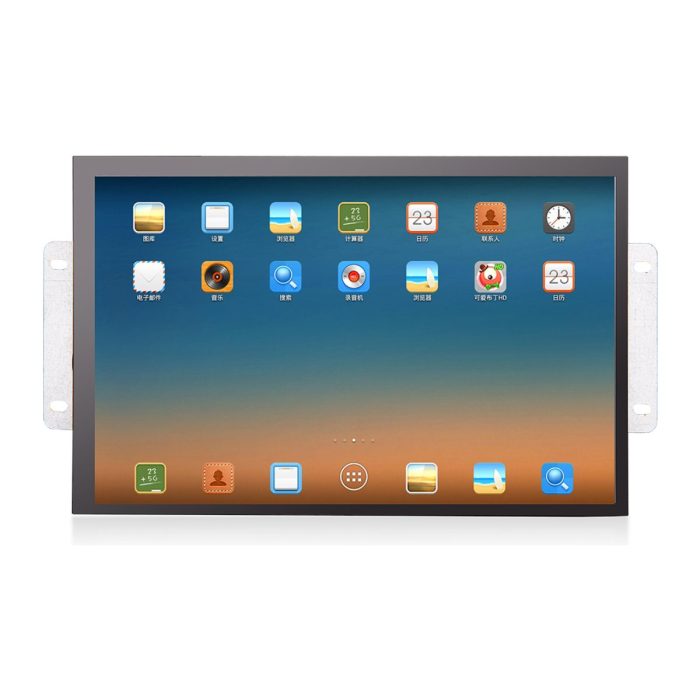
One unit with the screen and the PC in the same housing, mounted flush in the cabinet door. Fewer cables, one warranty, one IP rating for the front face. When the machine needs local vision, a local database or a gateway, this is usually the right answer, and it is what most industrial HMI panel PC projects end up deploying.
4. Panel PC plus a PLC (soft or hardware)
The panel PC runs the HMI and also hosts a soft PLC, while a hardware PLC keeps the deterministic and safety functions. This hybrid is common in retrofits: the existing PLC stays, the old HMI is replaced by a panel PC that also logs production data. It only works if the panel PC’s real-time behaviour has been thought through — see the soft PLC section below.
When a dedicated HMI still wins
It would be dishonest to write that the panel PC always wins. Three situations genuinely favour the dedicated terminal.
- A single fixed function, built in volume. If the machine does one thing, the screens will never change, and ten thousand units are planned, a fixed-function HMI is cheaper per unit and cannot be broken by an operator installing something.
- No IT department and no network. A device with no operating system has no patch cycle, no antivirus question and no attack surface beyond its own protocol. For a standalone machine in a workshop, that is a real advantage.
- Certification already exists. If the machine’s CE file, validation pack or customer approval references a specific HMI model, swapping it for a panel PC reopens the file. Hardware is cheap next to re-validation.
Below roughly 7 inches the same logic usually applies for a different reason: at that size the panel PC no longer saves money against an HMI plus a controller, and the connector count becomes the constraint rather than the compute.
When a panel PC wins
The decision flips as soon as any of the following appears in the requirement list. In practice one of them almost always does.
- Data leaves the machine. Production counts, OEE, traceability, energy — anything that has to be stored, queried or sent onwards needs a filesystem and a network stack.
- A second application is needed. Camera inspection, label printing, barcode decoding, a web dashboard for the line supervisor.
- The screen grows past 15 inches. Dedicated HMIs thin out above 15″, while panel PCs are routine at 15.6″, 17″, 19″, 21.5″ and 23.8″.
- The software is yours. If the HMI is a Qt, C# or web application you wrote, it needs a general-purpose OS, not a vendor runtime.
- Nobody can supply the old model. When a discontinued HMI is unavailable, a panel PC running the same screens is usually the only path that does not require rewriting the machine software.
Across the 12 industries in our panel PC application survey, the pattern repeats: HMIs hold on where the machine is a closed product; panel PCs take over where the machine has to report on itself.
The protocol question: what the panel must speak
This is where most failed projects actually fail. A panel PC with a fast processor is useless if it cannot reach the controller, and “supports Ethernet” means nothing on its own.
A serious HMI panel specification names the protocol, the direction and the expected update rate. The common ones in factory use are:
- Modbus RTU / Modbus TCP — the lowest common denominator. Universally supported, easy to diagnose with a serial sniffer, but slow and with no built-in security.
- PROFINET — Siemens-centric, real-time Ethernet, common where the PLC family is Siemens.
- EtherNet/IP — Rockwell/Allen-Bradley ecosystem, widely used in North America and in packaging lines.
- EtherCAT — high determinism, motion-heavy machines, usually generated by the drive vendor’s master stack.
- OPC UA — not a fieldbus but an information model (IEC 62541) designed to carry structured data upward to MES and SCADA with authentication and encryption. This is the one that matters when the requirement is “the plant system needs the data”.
Two practical rules follow. First, decide which protocol is the machine protocol and which is the reporting protocol — Modbus to the drives and OPC UA to the MES is a normal split. Second, count the physical ports before specifying: a project that needs two separate control networks plus a corporate network needs at least three Ethernet interfaces, or a managed switch in the cabinet. Our Z-Series industrial panel PC carries dual 2.5 GbE ports and six COM ports partly for this reason.
Soft PLC, IEC 61131-3 and where the logic should live
If the plan is to replace both the HMI and the PLC with one panel PC, the deciding factor is not the processor but the runtime. PLC programming is standardised in IEC 61131-3, which defines the five languages — ladder diagram, function block diagram, structured text, instruction list and sequential function chart — that engineers already know. A soft PLC on a panel PC is only a legitimate replacement if it implements that standard and if the machine can tolerate the jitter of a general-purpose operating system.
Three honest limits apply:
- Safety functions do not move. Emergency stop, guard interlocking and safe torque-off belong in certified hardware, not in an application on a Windows machine.
- Determinism is bounded by the OS. Soft PLC cycle times are stable but not equal to a dedicated controller under load. If the machine needs sub-millisecond cyclic response, keep the hardware PLC.
- The runtime needs a licence and a support path. Ask which soft PLC is installed, who licenses it, and who is responsible for the version when a security patch lands.
The pragmatic pattern we see most often in Huizhou-built machines: hardware PLC for control and safety, panel PC for the HMI, data and remote access. It keeps the validated part validated and puts the changeable part where change is cheap.
Specifying the hardware: eight points that decide the outcome
Once the architecture is settled, the specification is mechanical. These are the eight fields that separate a unit that lasts from one that comes back.
| Point | What to specify | Why it matters |
|---|---|---|
| Size and resolution | Screen diagonal, native resolution, aspect ratio | HMI screens are drawn to fixed pixel layouts; 1024 x 768 and 1920 x 1080 are not interchangeable |
| Brightness | nits, plus whether the cabinet has a window or direct sun | 350 cd/m² is fine indoors; sunlight needs high brightness and optical bonding |
| Front sealing | IP65 minimum on the front face, IP rating of the rear | The front is washed down; the rear usually sits inside a cabinet |
| Touch technology | PCAP for fingers and gloves, resistive for pen and wet hands | Decides whether the operator can work with gloves on |
| Mounting | Flush, wall, VESA or open frame, plus bezel thickness | A 3 mm front bezel drops into an existing cabinet cut-out; a 10 mm bezel does not |
| Power | Voltage range and whether DC or AC is available in the cabinet | 12–36 V DC wide input removes the need for a separate supply in most cabinets |
| Temperature | Operating range against the real cabinet temperature | -10 to 60 °C covers most plants; a sealed cabinet in summer can exceed it |
| Lifecycle | Board and panel availability horizon | A machine sold for ten years needs a display that is still available in year eight |
Two of these are commonly under-specified. Front sealing is not the same as the whole unit: a unit described as IP65 is normally IP65 at the front and IP20 or IP54 behind, which is correct for a cabinet door but wrong for a pedestal. And brightness has to be read together with the touch layer — a 1,000 nit panel bonded to a reflective overlay loses much of its advantage, which is the argument for optically bonded PCAP in outdoor work. The full ratings table, including the IP69K washdown test conditions, is in our IP rating guide.
The security question nobody used to ask
An HMI panel did not use to be a network device. A panel PC always is, and that changes the compliance picture. For machines sold into Europe the relevant reference is IEC 62443, and the two parts that apply to a hardware supplier are 4-1, which covers the secure development lifecycle, and 4-2, which sets technical security requirements per component type. Customers now put both in the supplier questionnaire, alongside the EU Cyber Resilience Act obligations we covered in a separate article.
Three things are worth doing at the specification stage rather than after commissioning: disable or document every unused service in the shipped image, keep the OS patchable and say who applies patches, and separate the machine network from the corporate network at the cabinet rather than at the firewall. None of these are hardware features, and all of them are cheaper to decide before the first shipment.
Procurement checklist for an HMI panel PC
- Which architecture, and who owns the control logic? Panel PC alone, panel PC plus PLC, or monitor plus box PC.
- Which protocols, on which ports, at what update rate? Name the machine protocol and the reporting protocol separately.
- Which OS image ships, and what is the patch and support path?
- What are the exact front cut-out dimensions and bezel thickness? Ask for the 2D drawing, not the brochure.
- What is the front IP rating, and what is the rear?
- Which touch technology and how many simultaneous points?
- What is the operating temperature at full brightness?
- What is the panel and board availability commitment?
- Which certifications exist today — CE, FCC, RoHS — and which IEC 62443 evidence can be supplied?
- Can the same supplier provide the box PC, the monitor and the overlay if the architecture changes?
How Seabird builds these units
We build the hardware side in Huizhou: industrial touch panel PCs from 7 to 32 inches on X86 and ARM platforms, plus the industrial monitors, fanless box PCs, OPS modules and touch frames that the other three architectures need. Because the touch sensor, the PCBA and the panel PC are produced under one roof, one technical contact answers across the whole assembly.
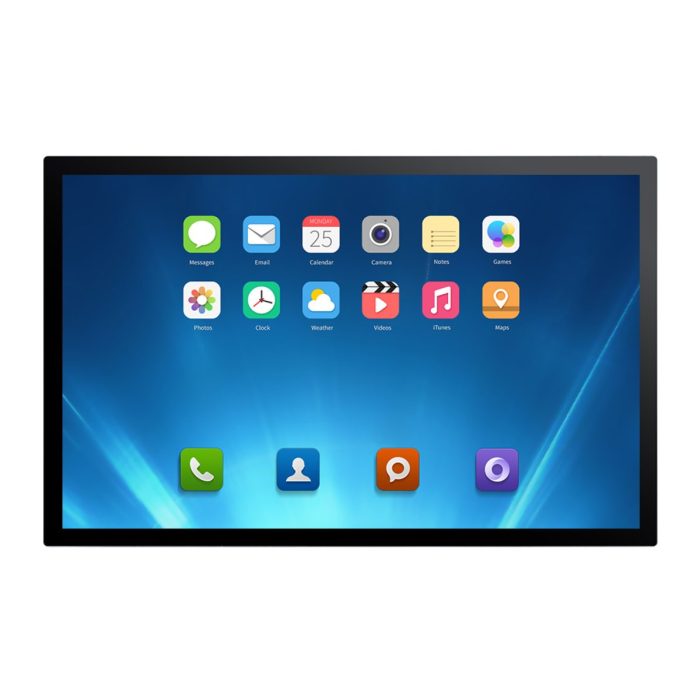
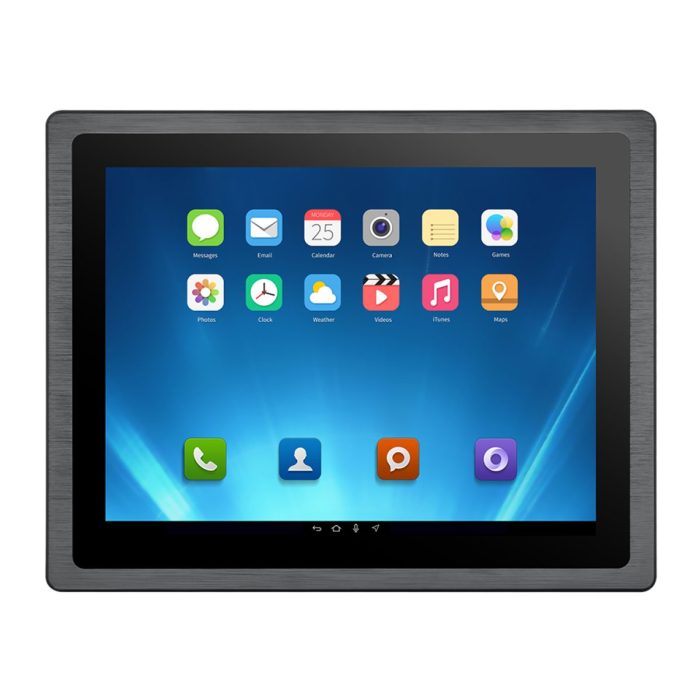
The Z-Series flush-mount unit is a fair illustration of what an HMI panel PC looks like in practice: a 3 mm front panel for cabinet flush mounting, IP65 on the front face, a choice of capacitive, resistive or non-touch front, Intel N97 with Celeron J1900, J4125 and J6412 options, dual 2.5 GbE, eight USB ports, six COM ports configurable as RS232, RS422 or RS485, HDMI and DP output, LVDS for an internal panel, 12–36 V DC wide input, and an operating range of -10 to 60 °C. Fifteen standard sizes are available from 7 to 23.8 inches, with custom sizes on request.
The commercial terms are the same ones we publish elsewhere: one piece is still factory price, samples of standard sizes in about three days, roughly seven days for 100 pieces and fifteen days for 500, CE, FCC and RoHS as standard rather than as an option, and a one-year warranty on the whole unit with a three-year option. Every unit goes through incoming inspection, 48-hour ageing and 100% final inspection, and touch linearity, display uniformity and interface function are recorded before packing.
If you are choosing between an HMI and a panel PC, send the machine type, the controller it talks to, the cabinet cut-out you already have and the environment it will sit in. We will reply with the configuration that fits, the drawing, and a clear note on anything your side still has to decide — within 24 hours on working days.
Frequently asked questions
Is an HMI the same as a panel PC?
No. An HMI is a dedicated terminal running fixed firmware and a vendor screen editor. A panel PC is a general-purpose industrial computer with a touch screen, running Windows, Linux or Android. An HMI panel PC is a panel PC on which HMI software runs as one application among others. They mount in the same cabinet cut-out, which is why they are confused.
Can a panel PC replace an HMI?
Usually yes, and it is the normal route when the original HMI is discontinued. The panel PC runs the same screens through a runtime, and can additionally log data, host a database or reach the plant network. The exceptions are very small screens below about 7 inches, standalone machines with no network and no IT support, and machines whose certification names the original HMI model.
Do I still need a PLC if I use a panel PC?
For control and safety functions, yes in most machines. A soft PLC compliant with IEC 61131-3 can replace the control logic where the cycle time allows it, and safety functions such as emergency stop and guard interlocking stay in certified hardware regardless. The common build is a hardware PLC for control and a panel PC for the HMI, data and remote access.
What size HMI panel do I need?
Match the size to the number of screens the operator works with, not to the cabinet. 7 to 10.1 inches suits a single simple screen; 15 to 15.6 inches is the workhorse for machine dashboards; 19 to 23.8 inches fits multi-zone lines and control-room style layouts. Resolution matters as much as diagonal — 1024 x 768 and 1920 x 1080 screens are not interchangeable for a fixed-pixel HMI layout.
What IP rating does an HMI panel need?
IP65 on the front face is the practical minimum for a washdown or dusty plant, and it is what most cabinet-door panel PCs provide. IP66 adds protection against powerful water jets. IP67 adds temporary immersion, which is rarely needed on a fixed panel but appears in vehicle and marine work. IP69K, defined under ISO 20653 as well as IEC 60529, is a high-pressure, high-temperature washdown test and belongs in food and pharmaceutical areas. The rear of a cabinet-mounted unit is normally a lower rating, which is correct for its location.
Which protocol should the panel support?
Specify the machine protocol and the reporting protocol separately. Modbus RTU/TCP is the universal fallback, PROFINET fits Siemens control, EtherNet/IP fits Rockwell, and EtherCAT suits motion-heavy machines. For data that leaves the machine, OPC UA (IEC 62541) is the usual choice because it carries structure, authentication and encryption rather than bare registers.
What are typical lead times and minimum order quantities?
One piece is still factory price with us. Standard sizes ship as samples in about three days, roughly seven working days for 100 pieces and fifteen for 500. Custom sizes and OEM builds are quoted with tooling taken into account.
Sources
- IEC 61131-3, Programmable controllers — Part 3: Programming languages (PLCopen)
- IEC 62541, OPC Unified Architecture
- IEC 62443-4-1, Secure product development lifecycle requirements
- IEC 62443-4-2, Technical security requirements for IACS components
- IEC 60529, Degrees of protection provided by enclosures (IP code)
- ISO 20653, Road vehicles — Degrees of protection (IP code)
- ODVA, EtherNet/IP and CIP specifications
- PROFIBUS & PROFINET International, PROFINET specification
- Modbus Organization, Modbus application protocol specification